Display mode : List Grid
Showing posts with label how to. Show all posts

Magic Rush Heroes Guide - Android Apk Games


Magic Rush Heroes Guide - Android Apk Games
Android Strategy Apk Games for Magic Rush Heroes for today is about how to play that android games for newbies where they couldn't start playing war on their smartphone games.

There are two factors where newbies have to start the game with those conditions. This is head to head games that the players should prepare their heroes to get high level and good stamina and weapon.

So how to get into the war on magic rush games apk. Well, as i mentions above,for newbies that starting to play, there are two conditons :

#1st Strategy Android Games : Magic Rush - Heroes
Mystery shop appears when players have not reached 30 troop level. So your first strategy is reach the 300 level and you can start getting mystery shop permanently.


#2nd Android Games : Magic Rush - Heroes
When fighting or mopping up in Adventure, there’s a fixed chance that it will appear, and if it does appear there will be a pop-up to notify you. It’s very lucky for the Mystery Shop to appear.
You can get great value for the price, but it’s only available for a limited time! So save up your money and pray for good luck! Don’t miss out on this pleasant surprise!
#A3

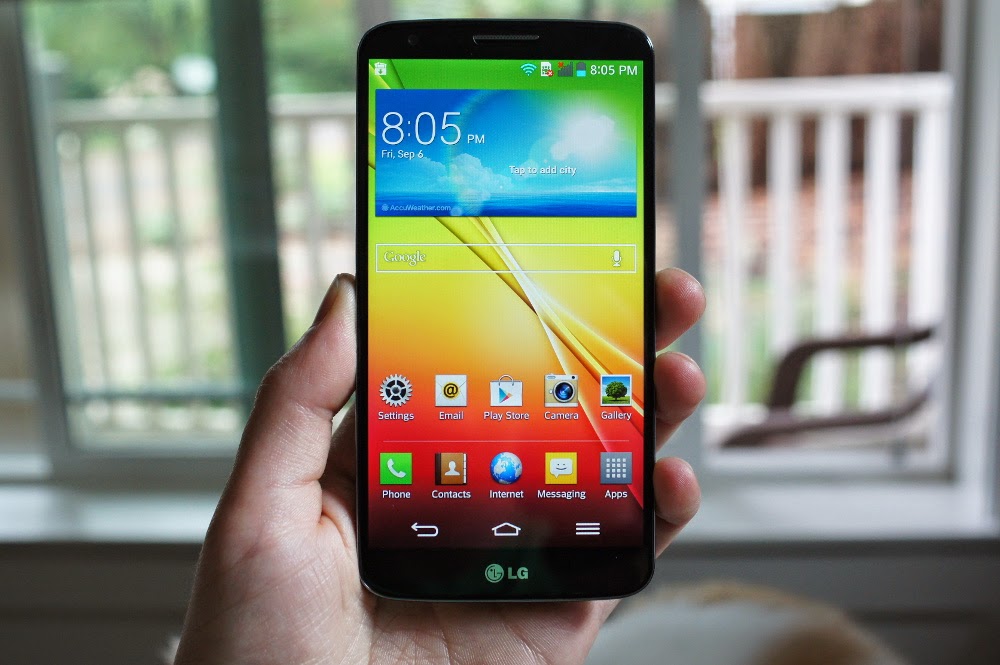
How To Root Android LG L65 It's Born By Request


Rooting Android for LG L65
Rooting Android for LG L65 it's about i'll give it to fransisco in,he was contacted me and ask me to help him to guide an android root. Well one thing that you or we should know the risk of android rooting and i would not responsible of any damage or making your phones dead. If you knew this then follow this instructions.

Step By Step For Android Rooting
LG and all variants of it basically have a same step and this tutorial i found on any source that i've collected and here they are :

First, Get The Tools For Android Rooting
There are two kinds of methodes that we can use it for making a root access,the first one we need a computer to get the job done and the second is just search and install framaRoot.apk that available free to download on google play store. In this case of Rooting LG we have to use a computer to make this done.Ok first of all download this tool and don't forget the LG compatible driver installed so our computer detect the device when it plugged in. After that extract the file and keep it we will need as soon as you connect the phone to the computer.

Developer Settings On Android
Enable this option by checking USB Debugging Mode. You can find it on Setting>>About Phone. If you don't find it simply tap the build number 3 to 7 times continuesly and you'll be notified that you are a developer.

Open The Extracted Files
Once you have extract the file you'll find the root.bat file and you have to run this command on command prompt. If you are a Win 7 user you'll have to be an administrator. So right click on command prompt and select run as administrator option. So when the command prompt opened you have to direct to where you save the extracted files.

Run.Bat
Once you type in the run.bat then you'll be notified that you to disconnect USB, disable USB debugging, then re-enable it and plug the phone back in (Do so, ONLY when prompted). After that you'll ne notified if you would like to have a superuser package installed, which you can accept or decline.

Enjoy the Rooted Android LG. Hope it good.
#A3

Make Your Android Faster By Rooting But Knows The Risk First


android rooting risks
Android faster performance is might be every android user want to have it. With tweaking your android it might have more speed and more smooth scrolling.But,if you want to get your's faster then you have to do an android rooting for your device first.

What Is Rooting Process In Android ?
Rooting or root the android means that you will have more access to the android system and it will only happen if you are the superuser for it. Android is based on Linux. On Linux and other UNIX-like operating systems, the root user is equivalent to the Administrator user on Windows. The root user has access to the entire operating system and can do anything. By default from the factory, you don’t have root access to your Android device, and certain apps won’t function without root access. So in a short word you have to be a super user account to gain access to the operating system file in order to add,erase and edit the whole code of the systems. With this way you can decrease of memory usage of the device and automatically increase the performance.

Knows The Risk Before Rooting
Your smartphone goes brick out or lag or even doesn't take any display,just say your device were dead. But that the worst,usually your android just fine and only loose the warranty if you're do this.

Do With Your Own Risk Or Ask for Help To The Pro
If you're ready to take the risk of android rooting then you just take the next step with hopefully your android will fine and even be a faster android than before.But,if you're not sure and won't take any risk then you have to ask for help. I will help you to root your device by sending the instruction by email,just contact me you can find my contact below.


#A3

Recent Comments

Just load it!